
How to Set Up PayID Before You Play
 Available in US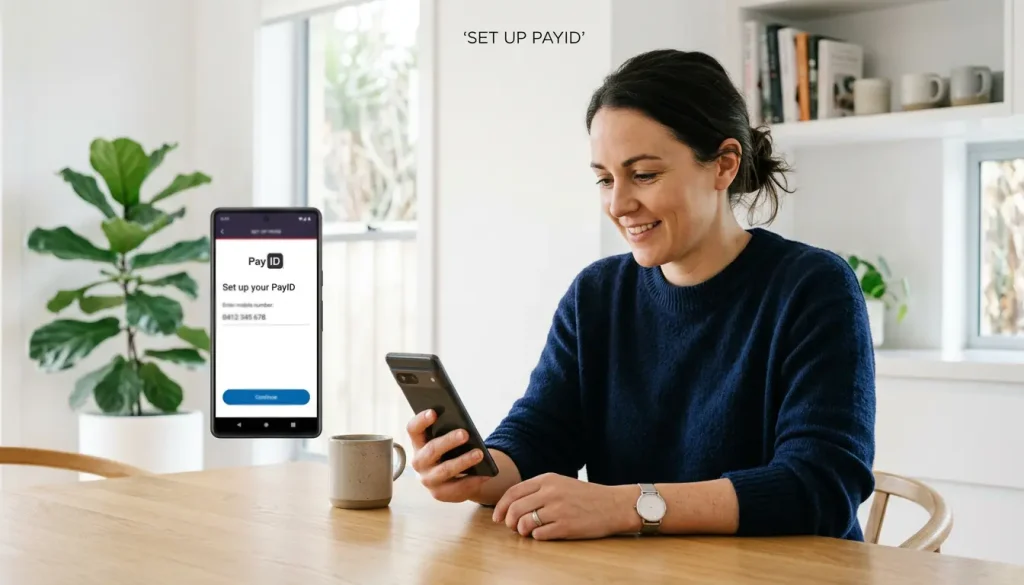
Setting up PayID before you play
Setting up a PayID is one of those tasks that sounds technical and turns out to take roughly ninety seconds. I have talked nervous first-timers through it over the phone and watched them finish before they had finished worrying about it. There is no application, no waiting period, no document to scan – it happens entirely inside the banking app you already use.
Table of Contents
What you are actually doing is creating an alias – a memorable identifier like your mobile number or email – and linking it to one of your bank accounts. Once that link exists, anyone can pay you, and you can pay anyone, using that alias instead of a BSB and account number. For casino play specifically, this is the piece that lets you deposit later without exposing account details: the operator gets the money, never the plumbing.
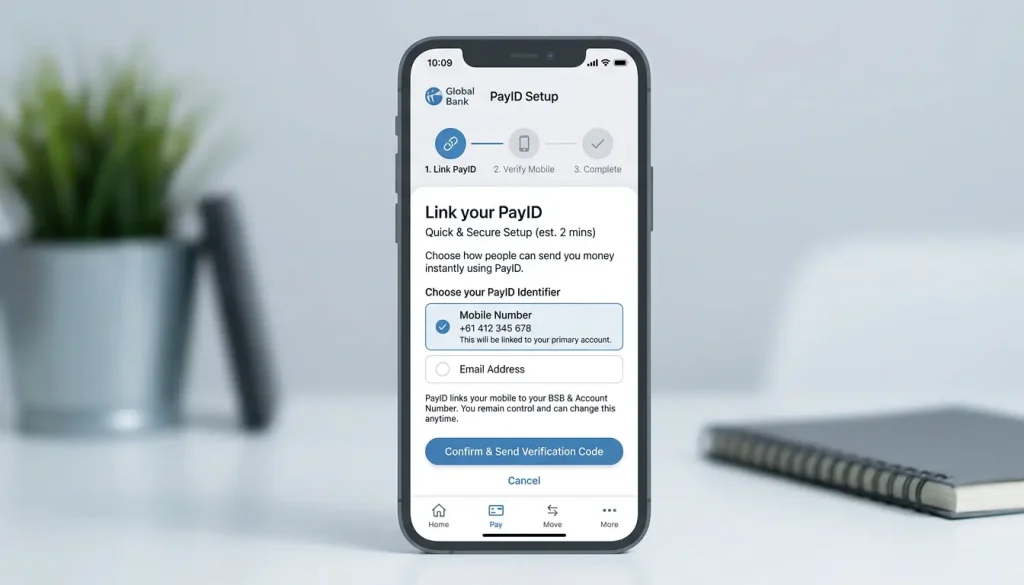
PayID has been around since it launched in 2018 within the New Payments Platform, so this is mature, stable technology rather than anything experimental – the setup flow has barely changed in years. This piece walks you through choosing the right alias, registering it cleanly, and managing it afterwards, including moving or removing it if your circumstances change. Do it once, before you have any reason to be in a hurry, and PayID simply becomes available whenever you need it.
Choosing a phone, email or ABN alias
The first real decision is which alias to register, and it matters more than people expect because the alias is what others see and use. You generally have three options: a mobile number, an email address, or, for business account holders, an Australian Business Number. For personal casino play, the choice is really between phone and email.
A mobile number is the most common pick and the most universally recognised – it is short, you know it by heart, and it is the default most people reach for. An email alias is equally valid and has one quiet advantage: it tends to be more stable than a phone number, since people change numbers more often than long-held email addresses. An ABN alias is for businesses and not relevant to most individual players, so I will set it aside.
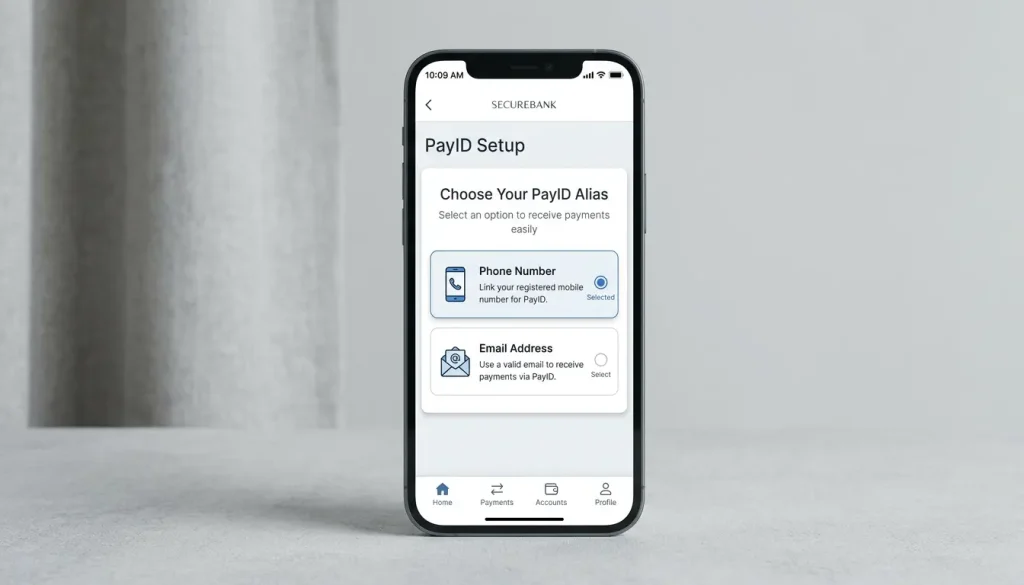
The practical considerations are worth a moment. Each alias can be linked to only one account at a time across the system – your phone number cannot simultaneously point at two different bank accounts – so choose the account you actually want to transact from. Think about privacy too: whatever alias you register is what a recipient’s bank will use to confirm your name, so pick the one you are comfortable using for the kind of payments you intend to make. For most players, a mobile number on their main transaction account is the clean, simple default. The system has scaled enormously on exactly these choices – more than 25 million PayIDs were registered across Australia by April 2025 – and the overwhelming majority are simple phone or email aliases doing exactly this job. There is no wrong answer here, only the one that fits how you already think about your accounts.
Registering PayID in your banking app
The registration itself is the part people brace for and then find anticlimactic. Every bank’s app differs in wording, but the sequence is the same everywhere because it is the same shared system underneath, and I will give you the universal version.
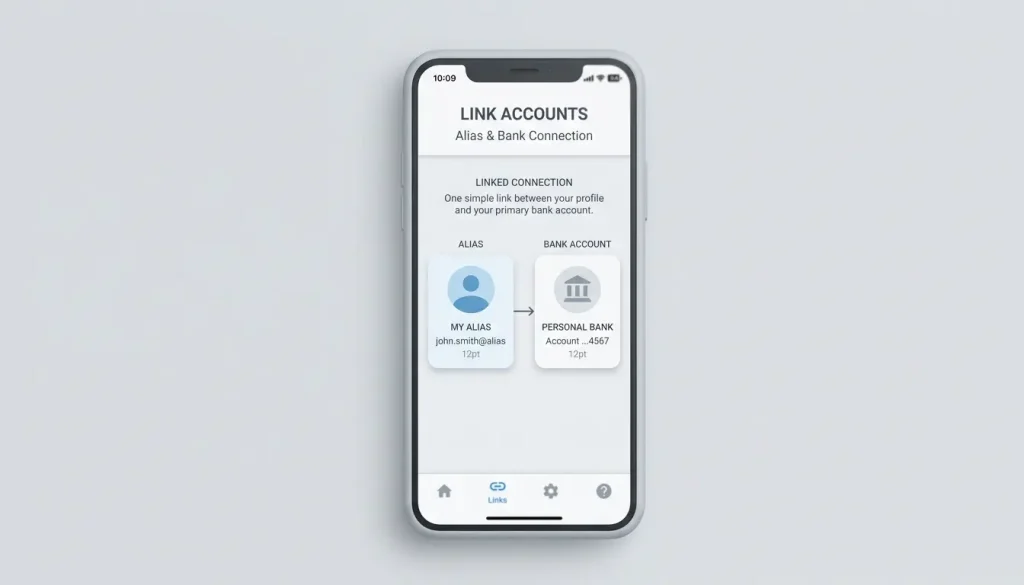
Open your banking app and find the PayID option – it usually lives under a “Payments,” “PayID,” or “Settings” menu. Choose to create or register a PayID. Select which account you want it linked to; this is the account that will send and receive money via the alias, so pick deliberately. Enter the alias you have chosen – your mobile number or email. The bank will then verify that you control that alias, typically by sending a one-time code to the number or address, which you enter back into the app to confirm ownership.
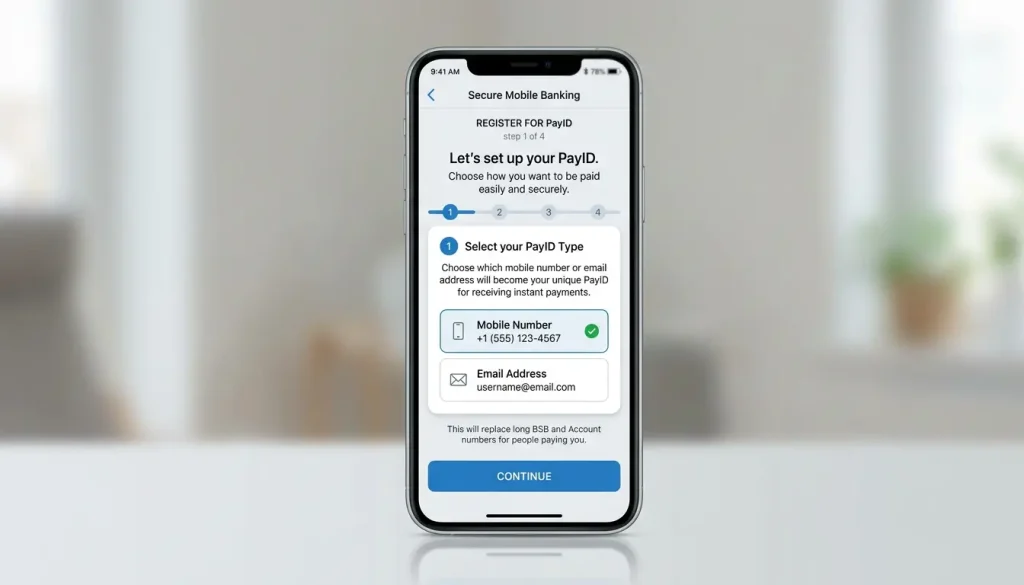
Once you submit that code, your PayID is active immediately. There is no overnight processing – it is live and usable straight away, which is consistent with how instant the rest of the system is. You will usually see a confirmation screen showing your registered alias and the account it points to. Take thirty seconds to confirm the account is the right one, because that single detail determines where money lands. The platform’s growth from around 2.8 million PayIDs and over 55 million reachable accounts at launch to the figures of today rests on millions of people completing exactly this two-minute flow, so if it feels too easy, that is by design rather than a sign you missed something. Once it is done, you never have to do it again for that alias, and depositing at a casino later becomes a matter of paying an address rather than wrestling with account numbers – the same flow described in our guide to which banks support PayID.
Moving or removing a PayID
People assume a PayID is permanent and tied to one bank forever, and the relief on their faces when I tell them otherwise is genuine. A PayID is portable and removable, and managing it is as straightforward as creating it – which matters if you switch banks or simply change your mind.
Because each alias can only be linked to one account at a time, moving a PayID is really a two-step process: you deregister it at the bank where it currently lives, then register the same alias at your new bank. There can be a short cooling-off or transfer window the system imposes to prevent abuse – a brief period where the alias is in limbo before it can be claimed elsewhere – but it is measured in days at most, not weeks. Your bank’s app will walk you through releasing the alias when you initiate the move.
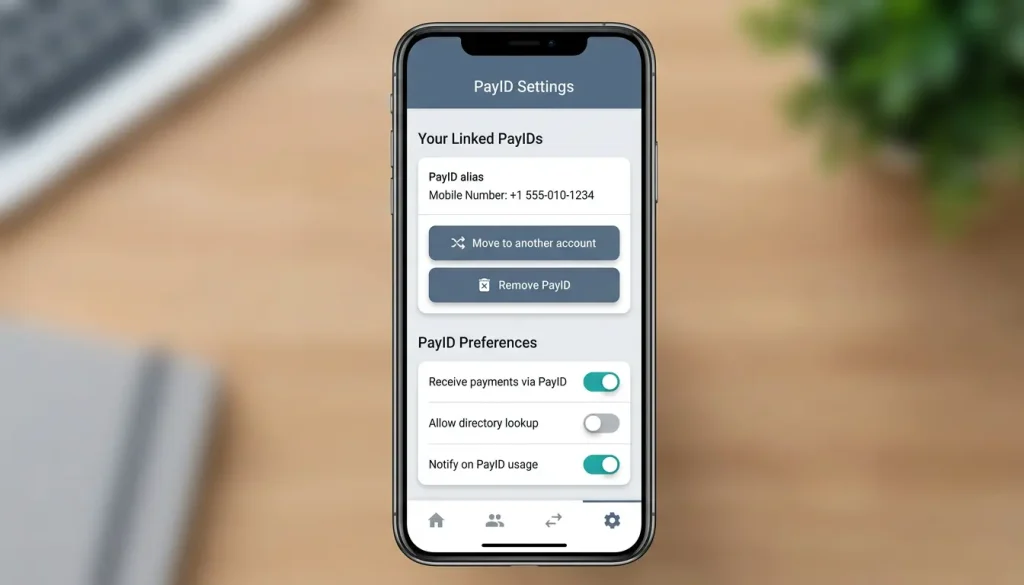
Removing a PayID entirely is even simpler: find the alias in your app’s PayID settings and choose to delete or deregister it. Once removed, the alias no longer resolves to your account, and anyone trying to pay it will find nothing there. There is generally no fee for any of this – registering, moving and removing a PayID are normally free, the same way the transfers themselves are. The reason I encourage people to know this is that it removes the fear of commitment. A PayID is not a contract; it is a convenience you control, and you can reshape it whenever your banking arrangements shift, without penalty and without drama.
Frequently Asked Questions
Can I have more than one PayID?
Yes, you can register multiple aliases, such as a phone number and an email, though each individual alias can point to only one account at a time. This lets you direct different aliases to different accounts if that suits how you organise your money.
Can I move my PayID to another bank?
Yes. You deregister the alias at your current bank, then register the same alias at the new one, since an alias can only be linked to a single account at a time. There may be a short transfer window of a few days, but the move itself is straightforward and handled in-app.
Is there a fee to register PayID?
No, registering a PayID is normally free, as are moving and removing one. The transfers made through it are typically free to you as well, so the alias is a no-cost convenience layered on top of your existing account.
Guides
Why ACMA Blocks Casino Sites
Why ACMA blocks casino sites If a casino site you have used suddenly stops loading and your internet provider shows a block notice, your first thought is probably that you…
Why PayID Casinos Ask You to Verify Your Identity
Why PayID casinos ask you to verify The first time a casino…
NPP and Osko Explained: The Rails Behind PayID
The rails that make PayID instant Most people use PayID for years…
PayTo and PayID: How They Differ
PayTo and PayID: how they differ If PayID is the present of…
Which Australian Banks Support PayID
Which banks let you use PayID The short answer to "does my…